
Legal
When Uber or Lyft App Status Decides Who Pays: Practical Steps After a Rideshare Crash

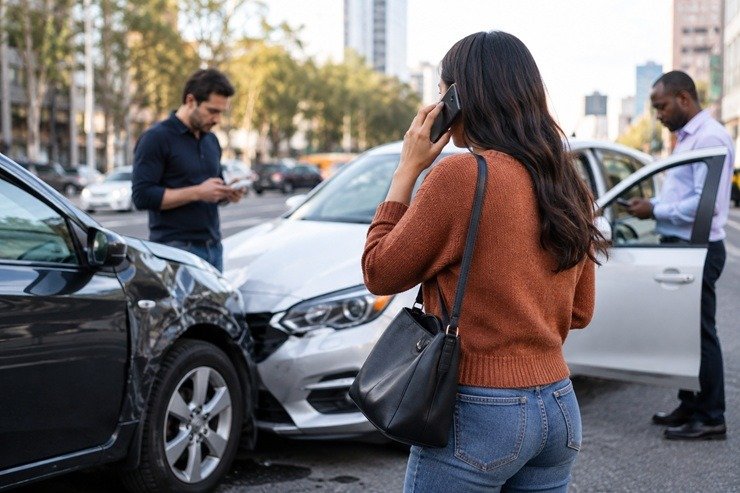
Collisions involving Uber or Lyft rarely unfold like a typical fender bender. One key reason: the rideshare driver’s app status at the moment of impact can shift which insurance policy is primary and how a claim gets evaluated. That split-second detail affects who you notify, what you need to prove, and how quickly medical bills and repairs get addressed. If you are a passenger, another motorist, a cyclist, or a pedestrian, your first moves can lock in crucial evidence before it disappears from a phone screen or a vehicle. This article explains why app status matters, what to capture right away, real-world examples, and common missteps that complicate recovery.
1. How App Status Controls Insurance Responsibility
In rideshare crashes, coverage often turns on at three points: the driver is offline; the app is on, and the driver is available; or a ride has been accepted, and the driver is en route or carrying a passenger. Generally, when a driver is offline, a personal auto policy applies. When the app is on or a trip is underway, a transportation network company policy typically comes into play, at different tiers. The facts that prove which period you were in matter as much as the crash diagram itself.
Complications arise because multiple policies can be involved at once. A rideshare driver’s personal insurer, the platform’s liability policy, a passenger’s medical coverage, and even uninsured and underinsured motorist coverage may interact. In some states, no-fault benefits can help with immediate medical costs regardless of fault, while liability coverage addresses long-term losses. Getting the order wrong can delay benefits and create avoidable disputes about who should pay first.
2. Evidence That Ties the Crash to the Driver’s App Status
App data is time-sensitive. Before screens time out or notifications clear, photograph what proves the status: the driver’s home screen showing online, the trip card with the ride ID, pickup and drop-off points, and timestamps. If you are a passenger, screenshot your own app’s trip details and email the ride receipt to yourself. Capture the driver’s license plate, the trade dress sticker on the windshield, and the vehicle’s make and model. Ask for the driver’s name as it appears in the app and the phone number associated with the ride.
File a police report and make sure the report lists Uber or Lyft, the driver’s full name, and the vehicle information. Save push notifications, text messages from the platform, and any in-app incident confirmation. These pieces help establish which insurer must respond first. When questions arise about what to do next, an experienced rideshare accident lawyer can explain how to preserve app-based proof and avoid missteps while claims are still unfolding.
3. Two Real World Scenarios That Show Why Status Matters
Scenario one: You are a Lyft passenger when your vehicle is rear-ended at a stoplight. The driver has an active trip with you in the back seat. Your phone shows the ride in progress, and you receive an emailed receipt minutes later. During this period, the platform’s policy generally responds to third-party claims tied to the crash, and other coverages may apply for medical care. Your best move is to photograph the app’s in-progress screen, the other car’s plate, and the damage to both vehicles, then request the police report number before you leave for medical evaluation.
Scenario two: You are driving your own car when an Uber driver, online but without a passenger, merges into your lane and sideswipes you. The app shows the driver as available. Here, a different layer of coverage may be primary than in an active-trip situation. Photograph the Uber driver’s app home screen if the driver will show it, and document the trade dress and plate. Notify your insurer promptly and provide the police report once available, but be cautious about giving a recorded statement to another party’s adjuster before you understand which policy is responsible and what the facts will show.
4. Mistakes That Weaken Rideshare Claims and How to Fix Them
Relying only on in-app support is a common error. Platform chat logs can help, but they rarely replace a police report that anchors time, location, and parties. Without an official report, disputes over app status and fault become harder to resolve. Always call law enforcement for any injury crash and request the report number on scene. Another mistake is not seeking prompt medical care. Small symptoms can mask concussions, whiplash, or internal injuries. Waiting days to see a clinician can create gaps in the record that insurers use to argue your injuries are unrelated.
People also jeopardize claims by giving recorded statements to multiple adjusters before they gather their own evidence. Statements made while you are shaken or medicated can be misconstrued. Limit conversations to basic facts until you have organized your documents. Finally, do not rush a repair without photographs. Take wide shots of both vehicles, close-ups of impact points, and images of deployed airbags and child seats. If the rideshare vehicle had a dashcam, ask that video be preserved; the same goes for event data recorder and telematics records, which can show speed, braking, and app activity near the time of impact.
Follow Up Steps in the Days After the Crash
Create a single file for claim correspondence, medical visit summaries, imaging reports, prescriptions, and out-of-pocket receipts. Keep a short daily symptom journal that notes pain levels, mobility limits at work or school, and sleep disruption. These details help explain why a minor collision produced outsized consequences. If your phone died at the scene, contact the platform to request the ride receipt and trip ID, and ask the investigating officer to add the platform name to the report if it was omitted.
Send a written preservation request to the rideshare driver and, when appropriate, to the platform’s claims email, asking them to save app logs, dashcam footage, and telematics data for the relevant time frame. Get claim numbers from any involved insurer and confirm where to send medical bills for initial payment. If the at-fault driver lacked adequate insurance, review whether your own uninsured and underinsured motorist coverage can help. Be careful on social media; posts about workouts, travel, or hobbies can be used to downplay injury even when you are pushing through pain in daily life.
App status isn’t a technicality in rideshare crashes; it is a switch that determines which insurer must respond and how a claim should be documented. The most reliable way to keep that switch from flipping against you is to capture proof before it vanishes, secure an official police report, and organize your medical and app records. With clear evidence, both immediate benefits and longer-term claims are more likely to track the facts. If questions arise about insurers, statements, or data preservation, early, careful steps can prevent small oversights from becoming major obstacles later.












Why Saying “Yes” is More than a Milestone: It’s a Mindset Shift

Success at Work, Meaning at Home: Redefining What a Successful Life Looks Like

Hit by a Lyft Driver? Steps to Protect Your Health and Your Claim

How Financial Planning Can Help You Build a More Secure Future

Underground Water Leak Detection Services: Essential Considerations for Homeowners

Why People Wear Fragrance Even When They’re Staying Home

Hair Transplant Technology in Istanbul

Creating Your Own Rituals for Rest, Reflection, and Personal Time

How Hiring A Professional Plumber Saves You Money On Water Bills

Plumbing Emergencies: A Homeowner’s Guide for Finding a Plumber Near Me

100 Motivational Quotes to Inspire You in 2026

How to Create a Vision Board That Actually Works (2026)

22 Best Self-Help Books to Read in 2026

How to Achieve Personal Growth in 2026

New Year Wishes and Quotes to Inspire and Celebrate (2026)

Loeb Smith reviews: Why Crypto Licensing Demands Patience, Structure, and Skepticism

How to Leverage Personal Development for Career Advancement

Top Fitness Coach Certification Programs for Aspiring Trainers

From Denver to Vail: Secrets, Snow, and Soul of the Rockies

How to Choose the Best Manali Tour Package for a Family-Friendly Vacation?
-

 Motivation6 years ago
4 Fun New Hobbies To Try This Year
-

 Quotes4 years ago
53 Motivational Gym Quotes to Fuel Gym Workout
-

 Quotes11 years ago
50 Most Powerful Quotes Ever Spoken
-

 Travel2 years ago
Why You Should Travel More: The Many Benefits of Seeing the World
-
 Quotes10 months ago
100 Motivational Quotes to Inspire You in 2026
-

 Quotes3 years ago
43 Inspirational Quotes About Thoughts
-

 Quotes4 years ago
Motivational Quotes by Famous People
-

 Quotes1 year ago
100 Motivational Quotes to Start Your Day with Positivity