
Tech
Top 5 Browser Extensions That Make Everyday Browsing More Private

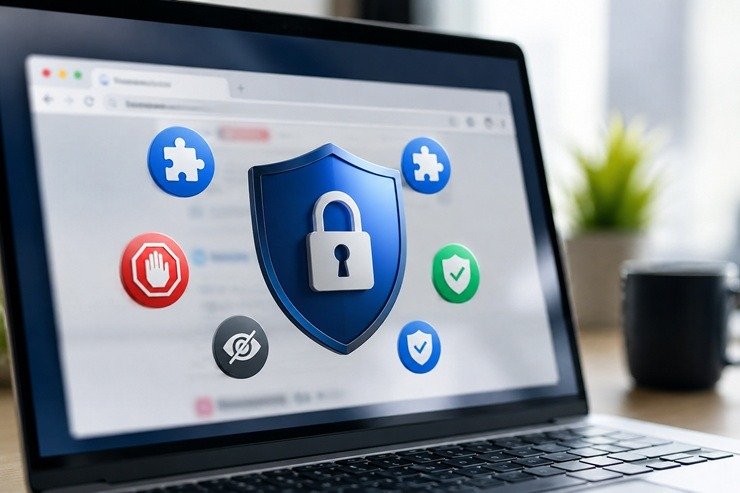
Have you ever thought about what really happens while you browse online?
You read the news, look up symptoms, click delivery links, and allow notifications. That is how browsing usually works — it’s fast and full of small decisions you barely notice.
And that’s the problem, because websites are not just showing us information. Some of them ask for too much access, show fake warnings or ask to click unsafe links. Others even follow you from site to site to collect pieces of your browsing behavior.
That is why browser extensions are useful to spot risky access and block hidden trackers.
Below is a practical review of top 5 browser extensions that can help anyone browse more safely and privately.
How These Browser Extensions Were Chosen
For this review, the focus is on extensions that help with at least one of these everyday browsing risks:
- Websites asking for access to your camera, microphone, location, or notifications
- Trackers following your activity across websites
- Ads and pop-ups that make browsing more risky and annoying
One important note: you do not need to install every extension on this list. Some may overlap or slow things down. Choose the one or two that match your biggest concern.
Quick Comparison: Top Browser Extensions for More Private Browsing
| Extension | Best for | What it helps with | Main strength | Main limitation |
|---|---|---|---|---|
| Boundly | Instantly controlling access of any website | Camera, microphone, location, and notifications blocking | Makes sensitive website permissions easy to see and manage | Focuses only on website permissions. Best used with the Boundly data leak tool for broader protection |
| DuckDuckGo Search & Tracker Protection | Simple everyday privacy | Trackers, cookies, search privacy, link tracking | Easy privacy protection | May overlap with other tracker blockers |
| Privacy Badger | Quiet tracker blocking | Hidden third-party trackers | Works in the background without much setup | Less focused on malicious websites |
| Malwarebytes Browser Guard | Scam and malicious site protection | Phishing, malicious sites, ads, trackers | Focus on dangerous pages, not only tracking | Some safe pages may need to be added to your allowed list manually |
| uBlock Origin Lite / uBlock Origin | Strong blocking of unwanted web content | Ads, trackers, miners, pop-ups, some malicious domains | Lightweight and powerful blocking | More technical than beginner-first tools |
A Quick Safety Note Before Installing Any Extension
Browser extensions can protect you, but they also become part of your browser. That means you should treat them carefully.
Before installing any extension:
- Use the official browser store
- Check the extension name and developer
- Read what permissions it asks for
- Remove extensions you no longer use
- Avoid installing five tools that all do the same thing
A good extension should make browsing easier to manage, not more confusing.
1. Boundly: Best for Controlling Unwanted Website Access
The extension made by Boundly helps you control main website permissions, which makes it different from other tools that only block ads or trackers.
It usually feels harmless to click “Allow” when a website wants to use your camera, microphone or location, because you need the page to work.
But that access can be dangerous for your privacy.
For example, when you allow a website to send notifications or use your location even once, that access may last longer than you realize. That site can keep pushing browser alerts after you leave, and scam sites can use those alerts for fake warnings or phishing links.
Location access can also reveal where you were when you visited, and if that access stays allowed, repeated location checks can expose patterns about where you live, work, shop, or spend time.
Camera and microphone access feel even more personal because they connect to things you expect to stay private.
What the Boundly Extension Does
The Boundly extension shows you when any website uses your camera, microphone, location, and notifications. It also lets you remove unwanted access in one click, without digging through browser settings.
This can reduce the chance of a wrong click becoming a bigger problem. For example, if you accidentally allow access on a site you do not fully trust, the extension gives you a simple way to spot it and take that access back.
Also, this extension is free. So if you are wondering about Boundly pricing, there is no paid plan to compare before trying it.
Why It Helps
1. It focuses on the “Allow” buttons people click without thinking
A lot of privacy problems start with tiny decisions. Website permissions are easy to give and even easier to forget. The extension made by Boundly helps bring those forgotten permissions back into view, so you can see which websites still have access and remove anything that no longer makes sense.
2. It covers access that feels personal
Trackers are important, but camera, microphone, and location access feel even more direct. Nobody wants a random website to reach their camera, hear their voice, or know where they are unless there is a clear reason for it.
3. It is easier than digging through browser settings
Browsers already have permission settings, but most regular users often don’t know where to find them or how to change them.
Plus, diving into browser settings on your own takes time, and most of us simply do not have that. Boundly makes permission control feel more accessible and easy.
4. It is useful for people who are not security experts
The value is simple: see what a website has access to and block what does not feel right. That is the kind of protection regular people can understand quickly.
What to Know Before Using the Boundly Extension
The Boundly extension is mainly about website permissions. That is useful, but it does not replace every other type of browser protection.
If you want broader protection from scammers or data leaks, you may still want to use this extension along with their core Boundly product.
The extension also cannot decide everything for you. Some websites really need access to your camera, microphone, or location to work properly. For example, a video call site needs camera and microphone access. A map or delivery site may need location access.
The point is to know what every website has access to and keep it under control.
Who Is It Best For?
The Boundly extension is best for every web user who wants more control over what websites can access.
It is especially useful for anyone who has clicked “Allow” too many times and has no idea which websites have permission to use their camera, microphone, location, or notifications.
2. DuckDuckGo Search & Tracker Protection: Best for Simple Everyday Privacy
DuckDuckGo is known for private search, but its browser extension goes beyond the search box.
DuckDuckGo Search & Tracker Protection helps block many common trackers that try to follow you across websites. It also helps reduce tracking cookies and offers privacy protections that work while you browse.
This makes it a good fit for people who want something simple and familiar. You install it, use DuckDuckGo search if you want, and let the extension handle background privacy concerns that regular users do not want to think about every day.
What DuckDuckGo Search & Tracker Protection Does
DuckDuckGo’s extension helps by blocking many third-party trackers and reducing the amount of data companies can collect as you move around the web.
It also pushes you toward private search and includes link tracking protection and cookie-related privacy features.
In simple terms, it helps with one of the most annoying parts of the modern web: the feeling that you look at one thing once, and then the internet follows you around with it for weeks.
Why It Helps
1. It is easy for regular people to understand
DuckDuckGo has a clear promise: more private searching and browsing. That makes the extension less technical than tools with big dashboards and advanced settings.
2. It helps reduce tracking across websites
Many websites include third-party trackers. These can collect information about where you go online and build a picture of your interests or behavior. DuckDuckGo helps block those background trackers.
3. It comes from a known privacy brand
For many people who are nervous about installing extensions, brand trust matters. DuckDuckGo is familiar to many users as a privacy-focused search engine.
What to Know Before Using It
DuckDuckGo’s extension is useful, but it may overlap with other tracker blockers. If you already use another privacy extension, adding DuckDuckGo may not add much extra value.
It also focuses more on privacy and tracking than on website permissions. For example, it will not replace a tool like Boundly for camera, microphone, location, and notification control.
Also, their tracker blocking does not mean no company can ever collect data about you. It reduces tracking, but it does not make browsing invisible.
Who Is It Best For?
DuckDuckGo Search & Tracker Protection is best for people who want an easy, everyday privacy extension. It is a strong option for users who mainly want to reduce tracking without complicated settings.
3. Privacy Badger: Best for Blocking Hidden Trackers
Privacy Badger is made by the Electronic Frontier Foundation, a nonprofit known for digital rights and privacy.
The extension is designed to stop advertisers and other third-party trackers from secretly following people across the web. Its appeal is that it does not ask much from the user. It is meant to work in the background.
That makes Privacy Badger a good choice for people who do not want a dramatic browser experience. There’s no big dashboard or heavy setup.
What Privacy Badger Does
Privacy Badger blocks third-party trackers that appear to track users across multiple websites.
Instead of only relying on fixed lists, Privacy Badger is built around tracker behavior. If something seems to be following you from site to site, Privacy Badger can block it from loading more content in your browser.
In simple words, it helps stop invisible companies from watching where you go online.
Why It Helps
1. It is built for people who want privacy without manual control
Some privacy tools ask users to review lots of settings. Privacy Badger is more “install and let it work.”
2. It focuses on hidden third-party tracking
This is one of the most common privacy problems online. You may visit one website, but many outside companies can still load behind the scenes. Privacy Badger helps reduce that.
3. It comes from a nonprofit privacy organization
That gives it a different feel from many commercial tools. For many users, that matters.
4. It avoids the “privacy panic” tone
Privacy Badger is not trying to scare people. It solves a specific problem: unwanted tracking across websites.
What to Know Before Using It
Privacy Badger is mainly a tracker blocker. It is not a full scam blocker, antivirus tool, or website permission manager.
That means it will not give the same type of protection as other tools. It also will not focus on phishing and malicious sites.
Who Is It Best For?
Privacy Badger is best for people who want a simple way to reduce hidden tracking. It is especially useful for those who care about privacy but do not want to spend time adjusting many settings.
4. Malwarebytes Browser Guard: Best for Avoiding Scammy and Dangerous Pages
Malwarebytes Browser Guard helps block phishing pages, scam sites, malicious content, intrusive ads, and suspicious web pages.
Its main strength is that it focuses not only on privacy, but also on everyday web safety. That makes it useful for people who want extra protection from fake warnings, unsafe links, and pages designed to trick users into sharing personal or payment information.
What Malwarebytes Browser Guard Does
Malwarebytes Browser Guard is a free browser extension that blocks ads, trackers, malicious sites, phishing attempts, and other risky pages.
It is designed to make browsing safer by stopping threats before they reach you. That can be especially helpful for people who are not always sure if a page is real or fake.
Why It Helps
1. It focuses on scams and malicious websites
Many privacy tools protect from trackers. Malwarebytes also focuses on the dangerous pages people may accidentally click.
2. It helps with phishing protection
Phishing is when a fake website tries to trick you into entering a password, payment details, or private information. A browser extension that warns or blocks these pages can reduce the chance of a wrong click becoming a bigger problem.
3. It can make the web feel cleaner
Because it also blocks ads and trackers, pages may feel less cluttered. That can make it easier to spot what matters and avoid fake buttons or aggressive pop-ups.
4. It is beginner-friendly
Users do not need to understand every technical detail. The value is simple: block more risky content before it becomes a problem.
What to Know Before Using It
Malwarebytes Browser Guard is broader than a privacy-only extension. That also means it may sometimes block something you actually want to see.
Like other blockers, it can occasionally interfere with parts of a website. If a trusted page is not working properly, you may need to pause protection for that site or adjust settings.
It also does not replace careful behavior. A blocker can help, but you still need to be cautious with emails, downloads, payment pages, and password requests.
Who Is It Best For?
Malwarebytes Browser Guard is best for people who worry about scam pages, fake warnings, phishing sites, and malicious links. It is a strong option for users who want browsing protection that goes beyond privacy and into everyday safety.
5. uBlock Origin Lite / uBlock Origin: Best for Unwanted Content Blocking
uBlock Origin is a browser content blocker. For Chrome users, uBlock Origin Lite is the newer version built for Chrome’s current extension rules. For Firefox users, classic uBlock Origin is widely used.
This tool is not only about blocking annoying ads. It can also block trackers, miners, pop-ups, and some malicious domains through filter lists.
That makes it powerful, but also more technical than most beginner-first extensions.
What uBlock Origin Lite / uBlock Origin Does
uBlock Origin Lite and uBlock Origin help block unwanted web content, including ads, trackers, coin miners, pop-ups, and other elements that can make browsing slower, messier, or less private.
In simple terms, it helps to stop a lot of background noise from loading in the first place.
That can make pages feel faster and less cluttered. It can also reduce exposure to trackers and some risky web domains.
Why It Helps
1. It blocks more than just ads
Many people think of blockers as tools that simply remove banners. uBlock Origin is broader than that. It can block trackers, miners, pop-ups, and other unwanted content.
2. It is efficient
The tool is known for being lightweight and performance-conscious. That matters because a privacy tool should not make browsing feel heavy.
3. It gives more control to people who want it
Advanced users can adjust settings and filter lists. Regular users can still use it in a simpler way, but more protection is there for those who want it.
4. It helps reduce clutter and background tracking
A cleaner page is not only nicer to look at. It can also reduce the chance of clicking misleading ads, fake buttons, or unwanted pop-ups.
What to Know Before Using It
uBlock Origin Lite / uBlock Origin is a stronger content blocker, but it may feel less friendly for beginners than Boundly or Privacy Badger.
It also may block parts of websites that rely on ads, scripts, or pop-ups. Sometimes that is exactly what you want. Other times, it can make a page behave strangely.
Chrome users should also pay attention to which version they install. uBlock Origin Lite is the version designed for Chrome’s newer extension system, while classic uBlock Origin is still commonly associated with Firefox and other supported browsers.
Who Is It Best For?
uBlock Origin Lite / uBlock Origin is best for advanced users who want stronger blocking against ads, trackers, pop-ups, miners, and other unwanted web content. It is a good choice for users who want more control and do not mind a more technical tool.
Which Browser Extension Should You Choose?
The best extension depends on what worries you most.
If you want to control websites that can access your camera, microphone, location, and notifications, start with Boundly.
If you’re looking for a simple privacy upgrade, DuckDuckGo Search & Tracker Protection is a good choice.
If a tracker without much setup is your preference, Privacy Badger is worth a try.
If you are more worried about scams, phishing pages, and malicious websites, Malwarebytes Browser Guard may be the strongest fit.
If you want powerful content blocking and do not mind a more technical tool, uBlock Origin Lite or uBlock Origin is a strong option.
Also, keep in mind that the best setup for your privacy is not five extensions at once. It is one extension for permissions and one for tracking.











Why Saying “Yes” is More than a Milestone: It’s a Mindset Shift

Success at Work, Meaning at Home: Redefining What a Successful Life Looks Like

Hit by a Lyft Driver? Steps to Protect Your Health and Your Claim

How Financial Planning Can Help You Build a More Secure Future

Underground Water Leak Detection Services: Essential Considerations for Homeowners

Why People Wear Fragrance Even When They’re Staying Home

Hair Transplant Technology in Istanbul

Creating Your Own Rituals for Rest, Reflection, and Personal Time

How Hiring A Professional Plumber Saves You Money On Water Bills

Plumbing Emergencies: A Homeowner’s Guide for Finding a Plumber Near Me

100 Motivational Quotes to Inspire You in 2026

How to Create a Vision Board That Actually Works (2026)

22 Best Self-Help Books to Read in 2026

How to Achieve Personal Growth in 2026

New Year Wishes and Quotes to Inspire and Celebrate (2026)

Loeb Smith reviews: Why Crypto Licensing Demands Patience, Structure, and Skepticism

How to Leverage Personal Development for Career Advancement

Top Fitness Coach Certification Programs for Aspiring Trainers

From Denver to Vail: Secrets, Snow, and Soul of the Rockies

How to Choose the Best Manali Tour Package for a Family-Friendly Vacation?
-

 Motivation6 years ago
4 Fun New Hobbies To Try This Year
-

 Quotes4 years ago
53 Motivational Gym Quotes to Fuel Gym Workout
-

 Quotes11 years ago
50 Most Powerful Quotes Ever Spoken
-

 Travel2 years ago
Why You Should Travel More: The Many Benefits of Seeing the World
-
 Quotes10 months ago
100 Motivational Quotes to Inspire You in 2026
-

 Quotes3 years ago
43 Inspirational Quotes About Thoughts
-

 Quotes4 years ago
Motivational Quotes by Famous People
-

 Quotes1 year ago
100 Motivational Quotes to Start Your Day with Positivity