
Business
How to Create Professional Training Manuals In-House

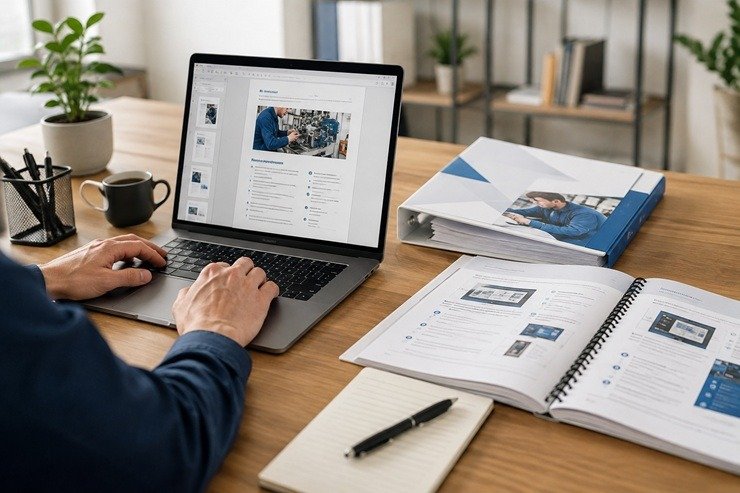
A good training manual should make someone’s job easier. Whether you’re onboarding a new employee, documenting a workplace process or teaching staff how to use equipment, the reader should be able to find the information they need without hunting through pages of confusing instructions.
Producing these manuals internally gives businesses more control over updates and can make it easier to create new copies when procedures change. With a sensible document template, reliable printing and basic finishing equipment such as binding machines, even a small team can produce manuals that feel organised and professional without sending every revision to an outside printer.
The challenge isn’t making a manual look impressive. It’s creating something people will actually use. That starts with the information itself.
Decide What the Manual Needs to Achieve
Before writing anything, define the purpose of the manual.
A document designed to introduce new employees to company procedures will look different from a technical reference guide used by experienced staff.
Think about the person reading it.
What do they already know? What are they trying to accomplish? Which tasks need detailed instructions, and which only require a quick reminder?
This helps prevent a common mistake: including everything simply because the information exists.
A useful training manual contains what the reader needs, presented in an order that makes sense.
Organise Information Around Real Tasks
Avoid creating a manual that’s one enormous stream of information.
Divide it into logical sections based on the way employees actually work. For example, an onboarding manual might cover:
- Getting started
- Important workplace policies
- Daily responsibilities
- Common procedures
- Safety requirements
- Troubleshooting
- Key contacts
For procedural training, organise instructions in the order tasks are performed.
If someone needs to complete five steps before they can perform step six, the manual should reflect that sequence.
A contents page can also be valuable in longer documents, particularly when employees will use the manual as an ongoing reference rather than reading it once from beginning to end.
Write Instructions People Can Follow
Training material should prioritise clarity over impressive language.
Use direct sentences and explain one action at a time. If a process has several stages, numbered steps may be easier to follow than a long paragraph.
For example, instead of describing an entire workplace procedure in dense prose, break it down into:
- What needs to be prepared.
- What action should be completed.
- How to confirm it was completed correctly.
- What to do if something goes wrong.
Don’t assume knowledge simply because a task feels obvious to an experienced employee.
At the same time, avoid explaining basic concepts so extensively that important instructions become buried.
The best test is to give a draft to someone who isn’t already familiar with the process and see where they become confused.
Use Visuals When They Actually Help
Screenshots, diagrams, photographs and simple charts can make certain instructions much easier to understand.
If you’re explaining software, for example, a screenshot showing the correct menu may be more useful than three paragraphs describing where to click.
For physical tasks, labelled photographs or diagrams can help employees identify equipment or components.
But visuals need a purpose.
Decorative images can make a manual longer without making it more useful. Every visual should either explain something, demonstrate something or help the reader locate information.
Make sure images are clear enough to remain readable when printed.
Keep the Design Consistent
You don’t need a graphic designer to create a clean training manual.
You do need consistency.
Choose standard fonts, heading sizes, margins and spacing, then use them throughout the document. Create a clear hierarchy so employees can immediately distinguish a main section from a subsection or individual instruction.
Headers and footers can also help. Depending on the document, they might include the manual name, section title, version number or page number.
Avoid filling pages with unnecessary colours and decorative elements.
Training manuals are working documents. Readability should always come before decoration.
Make Updates Easy to Control
Workplace procedures change.
Software gets updated. Equipment is replaced. Responsibilities move between teams. A phone number that was correct six months ago may no longer be useful.
Your manual should make revisions manageable.
Include a version number or revision date so employees can identify whether they’re using the current copy. Keep the editable master file in a controlled location rather than allowing multiple unofficial versions to circulate.
For frequently changing information, consider whether it belongs in the main manual at all. Sometimes a separate quick-reference sheet is easier to replace than reprinting an entire document.
Print One Test Copy First
Never assume that a document that looks good on screen will print perfectly.
Produce one complete copy and inspect it.
Check that:
- Text is large enough to read comfortably
- Screenshots remain clear
- Page numbers are correct
- Nothing has been cut off
- Sections begin in sensible places
- Double-sided pages are correctly oriented
- Blank pages haven’t appeared unexpectedly
Actually use the test copy for a few minutes. Open it to different sections and see how easy it is to navigate.
Choose a Finish That Matches How It Will Be Used
Think about the manual’s working environment.
A short document used once during orientation may only require simple finishing. A manual that’s opened daily needs to withstand considerably more handling.
Protective covers can help keep frequently used documents in better condition. A suitable bound format can keep pages together while allowing employees to move through sections easily.
Durability matters because a training manual covered in loose pages, torn corners and missing sections quickly becomes less useful.
Treat the Manual as a Working Tool
The best training manuals aren’t written once and forgotten.
Ask employees whether instructions are clear. Pay attention to questions that keep coming up. If several people repeatedly misunderstand the same process, the problem may be the training material rather than the employees.
Update unclear sections and remove information that’s no longer relevant.
Producing manuals in-house makes this process much easier because you’re not locked into a large print run every time something changes.
Focus first on clear instructions and logical organisation. Add consistent formatting, useful visuals, reliable printing and a practical physical finish.
Do that well, and your training manual becomes more than a professional-looking document. It becomes a tool employees can actually rely on when they need help doing their job.














The Mood-Friendly Day: Small Habits for a Steadier, Calmer You

How To Turn One Blog Post Into A Week Of Useful Content

How to Maintain Health and Independence While Ageing in Place

How Australian Businesses Can Overcome Skill Shortages Through Global Recruitment

Electric Scooter On-road Price vs Ex-showroom Price: Understanding the Actual Cost of Purchase

GiftMusic Review: Is a Personalized Song Worth It?

Shipping Decisions Every New Online Store Should Make Before Launch Day

Seven Essential Tools That Define Success in Remote Customer Service Careers

Why Clients Frequently Ask Does Insurance Cover Iop Services

Why Executive Chefs Recommend Enrolling in a Culinary School in Pasadena Before Opening a Restaurant

100 Motivational Quotes to Inspire You in 2026

How to Create a Vision Board That Actually Works (2026)

22 Best Self-Help Books to Read in 2026

How to Achieve Personal Growth in 2026

New Year Wishes and Quotes to Inspire and Celebrate (2026)

Loeb Smith reviews: Why Crypto Licensing Demands Patience, Structure, and Skepticism

From Denver to Vail: Secrets, Snow, and Soul of the Rockies

How to Choose the Best Manali Tour Package for a Family-Friendly Vacation?

Your Guide to Building the Life You Want as a Medical Professional

Romantic Cabins In Tennessee: A Guide to Location, Privacy, And Scenic Views
-

 Motivation6 years ago
4 Fun New Hobbies To Try This Year
-

 Quotes4 years ago
53 Motivational Gym Quotes to Fuel Gym Workout
-

 Quotes11 years ago
50 Most Powerful Quotes Ever Spoken
-

 Travel2 years ago
Why You Should Travel More: The Many Benefits of Seeing the World
-
 Quotes10 months ago
100 Motivational Quotes to Inspire You in 2026
-

 Quotes3 years ago
43 Inspirational Quotes About Thoughts
-

 Quotes4 years ago
Motivational Quotes by Famous People
-

 Quotes1 year ago
100 Motivational Quotes to Start Your Day with Positivity