
Tech
How to Install DLSS 5 on RTX 30xx Cards: Guide & Performance Test

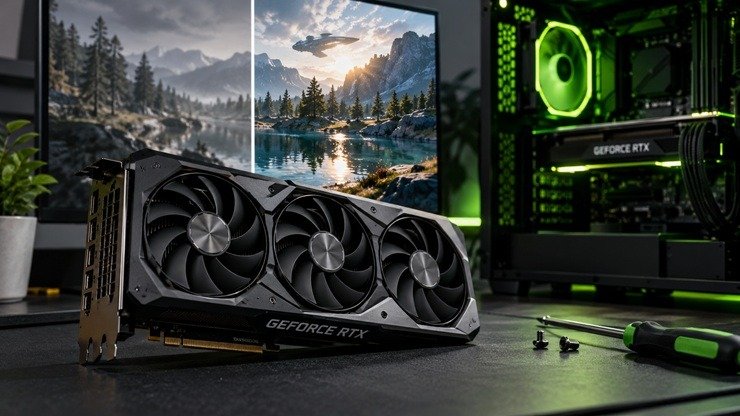
DLSS 5. Instruction for RTX 30xx and Older
NVIDIA has confirmed DLSS 5 for RTX 50-series cards at its official Fall 2026 launch, with no RTX 30-series support announced. That has not stopped Ampere owners from following a How To install DLSS 5 on RTX 30xx walkthrough built around the leaked neural rendering files, using the same ReShade and RenoDX tools already circulating in the modding community. The steps below cover exactly what installing it involves on an RTX 30xx card, plus the performance you should honestly expect before bothering.
What You Need Before Starting
- ReShade downloaded from the official reshade.me site, matched to your GPU architecture.
- The current RenoDX addon file and the leaked neural rendering DLL, taken from the project’s own up to date instructions.
- A game with either native DLSS support or a DirectX 11, 12, or Vulkan renderer.
- An up to date NVIDIA driver and enough free VRAM headroom, since Ampere already runs closer to its limit here.
Step by Step Installation on RTX 30xx
- Run the ReShade setup wizard against the game’s executable, selecting the correct DirectX or Vulkan version when prompted.
- Download the RenoDX addon and the neural rendering DLL, since both change often enough that stale copies are the top cause of a broken install.
- Copy both files into the same folder as the game’s executable, or the nested plugin folder some engines expect.
- Launch the game, press Home to open the ReShade overlay, and open the Add-ons tab to find the Neural Rendering panel.
- Press F6 to toggle it on, then use the NR Intensity slider to bring the effect to a strength your RTX 30xx card can actually sustain.
If the panel refuses to appear, disable the game’s built in anti aliasing first, since several titles will not let the addon initialize while their own AA is active.
What Performance Actually Looks Like on Ampere
| RTX 30 Model | Reported Result With Neural Rendering On |
|---|---|
| RTX 3070 (laptop) | Kingdom Come Deliverance II latency jumped from about 29ms to over 3,300ms |
| RTX 3080 | Deep Rock Galactic dropped from roughly 130 FPS to about 4 |
| RTX 3060 Ti | Hovered near 1 FPS across Control and Kingdom Come Deliverance II |
| RTX 3050 | Hovered near 1 FPS in the same tested titles |
As TechPowerUp documented, Ampere’s tensor cores were never built for the FP8 math the leaked build relies on, which is the main reason RTX 30xx results collapse this hard while RTX 50-series cards stay playable.
Settings Worth Understanding
- The NR Intensity slider blends the effect from zero to full strength instead of forcing an all or nothing look.
- The Natural preset keeps the most restrained result, closest to the game’s original art direction.
- The Cinematic preset pushes materials and lighting the hardest, and costs the most performance to run.
- The Enable Upscaling checkbox is an unfinished feature and should be switched off immediately if the image starts flickering.
Before Installing Anything Leaked
This is still a pre-release NVIDIA binary being distributed and patched by strangers rather than a signed retail driver component, so a few precautions are worth taking, a point the broader Deep Learning Super Sampling community has been raising since the leak first surfaced.
- Verify file hashes before installing anything that did not come from NVIDIA directly.
- Avoid injecting these files into any game with active anti-cheat or ranked multiplayer.
- Expect VRAM usage to climb by roughly a gigabyte every time the effect gets toggled on and off.
- Treat any specific build as temporary, since the underlying leaked files keep changing.
For RTX 30xx owners specifically, the instructions above will get Neural Rendering technically running, but single digit frame rates in several tested games mean waiting for an official RTX 40 or RTX 50 driver is still the more comfortable option for anything beyond curiosity.














Feeding for Recovery: What Helps Horses Bounce Back After Hard Work

Why Local Businesses in Houston Utilize Storage Units Houston Tx for B2B Operations

Think Outside the Brief: How Taking Creative Risks Can Help a Brand Stand Out

How Securing Long Island Event Rentals Prevents Last-Minute Weather Delays

What Happens When You’re Injured During a Guided Tour?

Westchester Airport Car Rental (HPN): Guide, Tips, Pricing

Why Travellers Are Falling in Love with Europe’s Smaller Cultural Destinations

Building Emotional Resilience Helps Individuals Overcome Sudden Traumatic Setbacks

How to Control AI Claims Automation Costs as Review Volumes and Exceptions Grow

The Mood-Friendly Day: Small Habits for a Steadier, Calmer You

100 Motivational Quotes to Inspire You in 2026

How to Create a Vision Board That Actually Works (2026)

22 Best Self-Help Books to Read in 2026

How to Achieve Personal Growth in 2026

New Year Wishes and Quotes to Inspire and Celebrate (2026)

Loeb Smith reviews: Why Crypto Licensing Demands Patience, Structure, and Skepticism

From Denver to Vail: Secrets, Snow, and Soul of the Rockies

How to Choose the Best Manali Tour Package for a Family-Friendly Vacation?

Your Guide to Building the Life You Want as a Medical Professional

Romantic Cabins In Tennessee: A Guide to Location, Privacy, And Scenic Views
-

 Motivation6 years ago
4 Fun New Hobbies To Try This Year
-

 Quotes4 years ago
53 Motivational Gym Quotes to Fuel Gym Workout
-

 Quotes11 years ago
50 Most Powerful Quotes Ever Spoken
-

 Travel2 years ago
Why You Should Travel More: The Many Benefits of Seeing the World
-
 Quotes10 months ago
100 Motivational Quotes to Inspire You in 2026
-

 Quotes3 years ago
43 Inspirational Quotes About Thoughts
-

 Quotes4 years ago
Motivational Quotes by Famous People
-

 Quotes1 year ago
100 Motivational Quotes to Start Your Day with Positivity