
Business
A Practical Look at WPS Office Desktop for Everyday Productivity

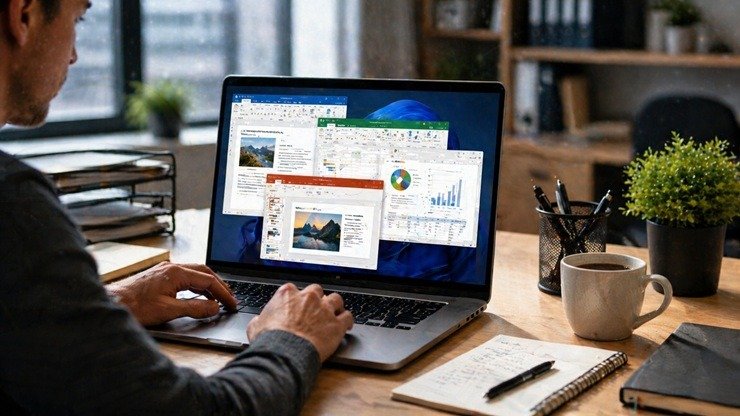
There’s a quiet kind of frustration that builds up when your everyday tools just don’t cooperate. A document refuses to open properly, a spreadsheet lags for no reason, or you end up juggling three different apps just to finish one simple task. Most people don’t talk about it, but it’s there—especially for students, freelancers, or anyone working on a tight setup.
That’s where something like WPS Office Desktop starts to make sense. It doesn’t arrive with big promises or flashy claims. Instead, it slips into your workflow and does what you expect—write, edit, present, and organize—without asking much in return.
Feels Familiar from the First Click
One thing that stands out almost immediately is how familiar everything feels. There’s no awkward adjustment period where you’re hunting for buttons or guessing where features are hidden. If you’ve used any office software before, you’ll find your way around without thinking twice.
It’s all packed into one place too. No separate installs for documents, spreadsheets, or presentations. You open the app, and everything’s there—ready to go. It sounds like a small thing, but when you’re switching between tasks, it actually makes a noticeable difference. Less clicking around, less waiting, less distraction.
Light on the System, Easy on the Nerves
Not every computer out there is running the latest specs, and not everyone needs that. What people do need is software that doesn’t slow everything down. WPS Office Desktop leans into that idea. It’s surprisingly lightweight, which means it runs smoothly even on older machines.
And yet, it doesn’t feel stripped down. You can still open all the usual file types—documents, spreadsheets, presentations, PDFs—without running into compatibility issues. That balance is rare. Most tools either go heavy on features and slow things down, or stay light but feel incomplete. This one sits somewhere in the middle, in a good way.
No Headaches When Sharing Files
Anyone who’s worked with different file formats knows how messy things can get. You send a document, and suddenly the formatting is off. Fonts change, spacing breaks, and what looked perfect on your screen turns into a mess on someone else’s.
WPS Office Desktop handles this better than most people expect. Files stay consistent when opened or shared, which quietly removes a lot of those small but annoying problems. It’s the kind of thing you don’t notice when it works—but definitely notice when it doesn’t.
The Extra Tools You Didn’t Know You Needed
At first glance, it feels like a standard office suite. But then you start noticing the extras. Need to convert a PDF? It’s there. Merge files? Also there. Extract text from an image? Surprisingly, yes.
Somewhere around this point, some users go for wps下载, not because they were convinced by marketing—but because the tool simply proved useful enough to keep around.
Templates are another small win. Instead of staring at a blank page, you can pick a ready-made layout for resumes, reports, or presentations. It’s not revolutionary, but it saves time—and sometimes, that’s all people really want.
A Bit of Help from AI (Without Overdoing It)
These days, everything seems to come with AI attached to it. WPS Office Desktop includes it too, but in a more subtle way. It helps refine text, organize content, or suggest structure when you’re stuck.
It doesn’t try to take over your work. It just sits there in the background, offering a nudge when needed. For repetitive tasks or rough drafts, that can actually be useful.
Works Across Devices Without Fuss
Another thing that fits well into modern routines is the ability to move between devices. Start something on your computer, check it later on your phone, maybe tweak it on a tablet—it all connects without much effort.
This kind of flexibility isn’t just a bonus anymore; it’s something people expect. And when it works without constant syncing issues or manual transfers, it feels… right.
Who Ends Up Using It Most
It’s not hard to see who this is for. Students trying to get through assignments without paying for expensive software. Freelancers managing documents and client work. Small businesses keep things simple and cost-effective.
Even people with decent systems sometimes prefer tools like this—not because they have to, but because they don’t want unnecessary complexity.
Final Thoughts
WPS Office Desktop doesn’t try to be everything at once. It focuses on doing the essentials well, and then quietly adds a few extras that make life easier. There’s no dramatic shift or learning curve—just a smoother way to get everyday work done.
And maybe that’s the real appeal. It’s not about reinventing productivity. It’s about making it feel a little less frustrating, a little more natural, and a lot more manageable.










Does Where You Live Affect Your Life Expectancy?

An Inside Look at How We Built a Scalable Customer Experience

A Simple Scalp-First Hair-Care Routine for Thinning Hair

How Live Music Shapes Better Corporate Events

Move From Manual Payroll to Payroll Software With ADP: How ADP Helps Businesses Improve Accuracy, Compliance, and Efficiency

Why Cultural Capability Matters in Stakeholder Engagement

From Everyday Savings to Exclusive Offers: Discovering the Best Deals This Week

Dinner Party Polish – 6 Ways to Make Home-Cooked Meals Look & Taste Restaurant-Worthy

How To Compare Physical Assets Before Adding Them To A Portfolio

How Do the Brain and Body Work Together?

100 Motivational Quotes to Inspire You in 2026

How to Create a Vision Board That Actually Works (2026)

22 Best Self-Help Books to Read in 2026

How to Achieve Personal Growth in 2026

New Year Wishes and Quotes to Inspire and Celebrate (2026)

Loeb Smith reviews: Why Crypto Licensing Demands Patience, Structure, and Skepticism

How to Leverage Personal Development for Career Advancement

Top Fitness Coach Certification Programs for Aspiring Trainers

From Denver to Vail: Secrets, Snow, and Soul of the Rockies

How to Choose the Best Manali Tour Package for a Family-Friendly Vacation?
-

 Motivation6 years ago
4 Fun New Hobbies To Try This Year
-

 Quotes4 years ago
53 Motivational Gym Quotes to Fuel Gym Workout
-

 Quotes11 years ago
50 Most Powerful Quotes Ever Spoken
-

 Travel2 years ago
Why You Should Travel More: The Many Benefits of Seeing the World
-
 Quotes10 months ago
100 Motivational Quotes to Inspire You in 2026
-

 Quotes3 years ago
43 Inspirational Quotes About Thoughts
-

 Quotes4 years ago
Motivational Quotes by Famous People
-

 Quotes1 year ago
100 Motivational Quotes to Start Your Day with Positivity