
Tech
How to Protect Your Personal Information in the Digital Age


The internet has made everyday life more convenient. People can communicate instantly, shop online, manage finances, work remotely, and find information within seconds. However, this convenience also means that large amounts of personal information are available across digital platforms.
Names, usernames, photographs, email addresses, social media profiles, and even location-related information can sometimes be discovered online. In many cases, people do not realize how much information about them is publicly accessible until they actively look for it.
Protecting personal information therefore requires more than simply creating a strong password. It involves understanding your digital footprint, controlling what you share, and regularly reviewing the information that may be available about you.
What Is a Digital Footprint?
A digital footprint is the collection of information that exists about a person online. Some of this information is deliberately shared, such as social media posts, professional profiles, or public comments.
Other information may be created indirectly. For example, a person may appear in a company directory, an event listing, a public document, or a website created by someone else.
Over time, these individual pieces of information can create a surprisingly detailed picture of someone’s online presence.
The first step toward better privacy is understanding that your digital footprint is constantly changing. New information can appear while old information may remain accessible long after you have stopped using a particular service.
Why Personal Information Can Be Difficult to Control
One of the biggest challenges of online privacy is that information can spread quickly.
A photograph posted on one social platform can be copied to another. A username can be reused across multiple websites. An old profile can remain indexed by search engines even after the original account has been forgotten.
Location-related information can also become publicly available through business directories, property records, social media posts, event pages, or other online sources.
This does not necessarily mean that all publicly available information is dangerous. The important point is understanding what information exists and deciding whether you are comfortable with it being accessible.
Search for Information About Yourself
One useful privacy habit is occasionally searching for your own information online.
Start with your full name and common variations. You can also search for old usernames, email addresses, and publicly used profile names.
For people who have moved frequently, owned businesses, or maintained a public professional presence, it can also be useful to understand what location-related information is connected with their online identity.
A reverse address look up can help people investigate publicly available information associated with an address and better understand what information may be visible online.
The purpose of this type of search should be awareness rather than invading someone else’s privacy. When reviewing information online, it is important to respect applicable laws, platform rules, and other people’s personal boundaries.
Review Your Social Media Profiles
Social media accounts are one of the most common sources of personal information.
A profile may contain your full name, workplace, hometown, photographs, interests, friends, family connections, and places you visit.
Review your privacy settings regularly. Check who can see your posts, who can send you messages, and whether your profile can be found through external search engines.
It is also worth reviewing older posts. Information that seemed harmless several years ago may no longer be something you want publicly available.
Consider removing outdated content, restricting the visibility of older posts, and reviewing tagged photographs.
Be Careful With Location Information
Location information deserves special attention because it can reveal patterns about your daily life.
Photographs may contain recognizable landmarks, street signs, business names, or other details that reveal where an image was taken. Social media posts can also reveal when someone is traveling or regularly visiting a particular location.
Before sharing an image publicly, look at the background as well as the main subject.
You should also review location permissions on your phone. Many applications request access to location data, but not every application necessarily needs continuous access.
Grant permissions selectively and review them periodically.
Protect Your Online Accounts
Strong account security remains one of the simplest ways to improve digital privacy.
Use unique passwords for important accounts and avoid using the same password across multiple services. A password manager can make it easier to maintain unique credentials without having to remember every password manually.
Multi-factor authentication provides another layer of protection. Even if someone obtains your password, an additional authentication requirement can make unauthorized access more difficult.
Pay particular attention to email accounts because they are often connected to password-reset processes for other services.
Think Before Sharing Personal Details
Many privacy problems begin with information that people voluntarily publish.
A social media post announcing a vacation may reveal that a home is empty. A photograph of a new identification document could expose sensitive information. A public post may accidentally reveal an employer, address, phone number, or other personal detail.
Before publishing something, consider whether the information could be useful to someone you do not know.
This does not mean avoiding social media entirely. Instead, it means becoming more deliberate about what you share and who can access it.
Check Old Accounts
Old accounts can represent an overlooked source of personal information.
People often create accounts for forums, shopping websites, applications, newsletters, and other services and then stop using them without deleting them.
If an old account contains personal information and is no longer needed, consider deleting it. Where deletion is not possible, remove unnecessary information and update the account’s privacy settings.
A periodic account audit can help reduce the amount of personal information stored across services that you no longer use.
Be Careful With Public Documents
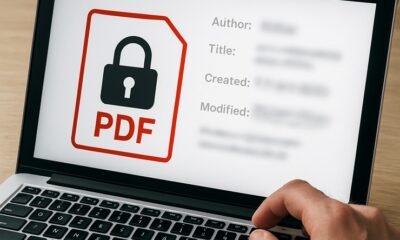
Documents uploaded to the internet can sometimes contain more information than expected.
Files may include names, contact information, metadata, comments, revision details, or other hidden information.
Before publishing a document publicly, review its contents carefully. Remove unnecessary personal details and consider whether the document needs to be publicly accessible at all.
This is particularly important for resumes, business documents, photographs, presentations, and other files that may contain identifying information.
Understand What Search Tools Can and Cannot Do
Search tools can be useful for improving awareness of your online footprint, but they should be used responsibly.
Information discovered through public searches should not automatically be assumed to be accurate. People can share names, addresses can change, and databases may contain outdated information.
Whenever possible, verify information through reliable sources.
It is also important to distinguish between finding publicly available information and using that information inappropriately. Privacy awareness should help people protect themselves, not encourage harassment, stalking, or unauthorized access to personal accounts.
Make Privacy a Regular Habit
Online privacy is not a one-time project.
Websites change their policies, social networks introduce new features, old accounts remain online, and new information can appear unexpectedly.
Set aside time every few months to review your digital presence. Search your name, review social media visibility, check account permissions, remove unnecessary accounts, and update important passwords.
These small steps can make a significant difference over time.
Final Thoughts
The amount of personal information available online can be surprising, but awareness gives people more control over their digital presence.
By regularly searching for information about yourself, reviewing social media settings, protecting accounts, limiting location exposure, and being selective about what you publish, you can reduce unnecessary exposure.
Digital privacy does not require avoiding the internet. It requires understanding how information moves through it and making thoughtful decisions about what you share.
The goal is simple: know what information about you is available, decide what should remain public, and take reasonable steps to protect everything else.











How Securing Long Island Event Rentals Prevents Last-Minute Weather Delays

What Happens When You’re Injured During a Guided Tour?

Westchester Airport Car Rental (HPN): Guide, Tips, Pricing

Why Travellers Are Falling in Love with Europe’s Smaller Cultural Destinations

Building Emotional Resilience Helps Individuals Overcome Sudden Traumatic Setbacks

How to Control AI Claims Automation Costs as Review Volumes and Exceptions Grow

The Mood-Friendly Day: Small Habits for a Steadier, Calmer You

How To Turn One Blog Post Into A Week Of Useful Content

How to Maintain Health and Independence While Ageing in Place

How Australian Businesses Can Overcome Skill Shortages Through Global Recruitment

100 Motivational Quotes to Inspire You in 2026

How to Create a Vision Board That Actually Works (2026)

22 Best Self-Help Books to Read in 2026

How to Achieve Personal Growth in 2026

New Year Wishes and Quotes to Inspire and Celebrate (2026)

Loeb Smith reviews: Why Crypto Licensing Demands Patience, Structure, and Skepticism

From Denver to Vail: Secrets, Snow, and Soul of the Rockies

How to Choose the Best Manali Tour Package for a Family-Friendly Vacation?

Your Guide to Building the Life You Want as a Medical Professional

Romantic Cabins In Tennessee: A Guide to Location, Privacy, And Scenic Views
-

 Motivation6 years ago
4 Fun New Hobbies To Try This Year
-

 Quotes4 years ago
53 Motivational Gym Quotes to Fuel Gym Workout
-

 Quotes11 years ago
50 Most Powerful Quotes Ever Spoken
-

 Travel2 years ago
Why You Should Travel More: The Many Benefits of Seeing the World
-
 Quotes10 months ago
100 Motivational Quotes to Inspire You in 2026
-

 Quotes3 years ago
43 Inspirational Quotes About Thoughts
-

 Quotes4 years ago
Motivational Quotes by Famous People
-

 Quotes1 year ago
100 Motivational Quotes to Start Your Day with Positivity